Get ByStander — Create your account and download the app
Real moments, real seconds

For the moment you can’t call 911.

Three short films about the seconds that change everything — and one about the seconds that don’t. This is what those minutes look like when you are not facing them alone.

This film will not play in this browser. Set up your safety net instead

Traffic stop

It doesn’t have to go bad.

A traffic stop is where an ordinary night turns. It doesn’t have to. With ByStander, Jason isn’t alone on the shoulder — his friends, his family, and a trained advocate are there with him from the first flash of blue.

This film will not play in this browser. Set up your safety net instead

Hit & run

She never saw it coming.

Sarah never got the chance to call 911. Nobody plans for that moment — which is exactly why ByStander is built for it. Your location, your live video, and a real human on your side, already in motion.

This film will not play in this browser. Set up your safety net instead

Campus walk

Most nights, nothing happens.

Aanya turns on Scout for the walk to her car and nothing goes wrong — footsteps behind her turn out to be another student. That is the point. Scout is built for ordinary nights, and using it on those is what makes it ready on the one that isn’t.

Now available on iPhone and Android

Set up your safety net in two minutes.

Create your account and choose your plan here, then install ByStander and sign straight in — real-time GPS, live video, trusted contacts, and 24/7 trained human advocates, all working together when seconds matter.

  1. 1Your details
  2. 2Verify phone
  3. 3Choose a plan
  4. 4Download

Create your account

We verify your mobile number because that is how ByStander reaches you and your trusted contacts in an emergency.

+1
US mobile numbers only. We text you a code to confirm it.
8+ characters, with upper, lower, a number and a symbol.

Already have an account? Sign in

Confirm your number

We texted you a 6-digit code.

Codes expire after 10 minutes.

Choose your plan

Pick the level of cover you want. You can change or cancel it any time from your account page.

Payments are handled by Stripe. ByStander never sees your card details.

You are all set

Install ByStander and sign in with the email and password you just created.

Next step in the app: add your trusted contacts, so they are alerted the moment you trigger ByStander.

Free plan available · iOS 15.1 and up · Android 8.0 and up.

Choose your device

Available now on every phone.

Once your account is set up, install ByStander and sign in. It is live on both the App Store and Google Play, whichever phone you carry.

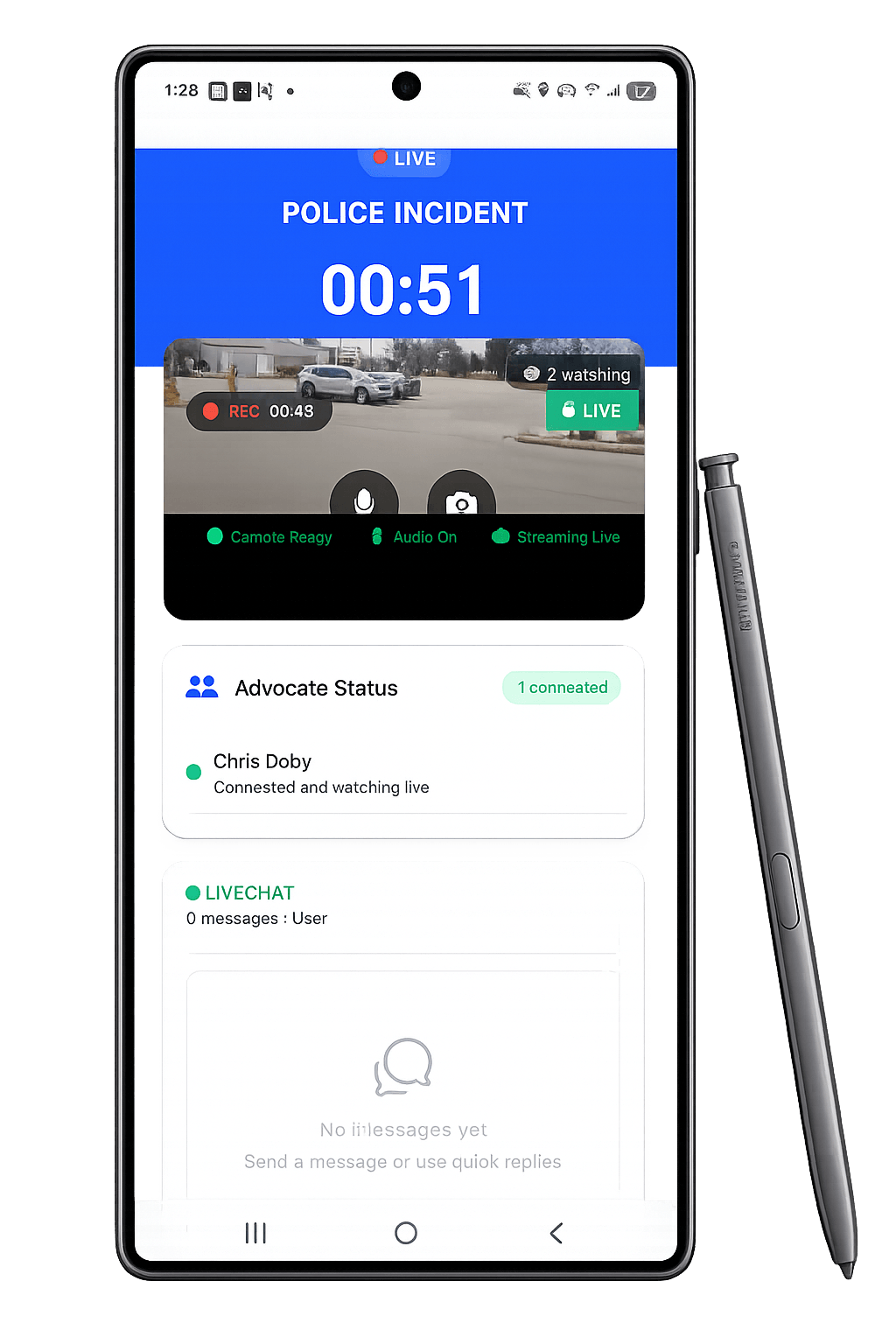
ByStander running on an Android phone

Android

Available now

Download ByStander free from Google Play and set up your safety circle in minutes.

Requires Android 8.0 (Oreo) or later.

iPhone & iPad

Available now

Download ByStander free from the App Store and set up your safety circle in minutes.

Requires iOS 15.1 or later.

Getting started

Protected in three quick steps.

Setup takes just a few minutes — do it once and ByStander is ready whenever you need it.

1

Create your account

Set up your profile and verify your phone number so help can always reach you.

2

Choose your plan

Pick the level of cover you want and pay securely through Stripe, or stay on the free plan.

3

Download and add your circle

Install the app, sign in, and invite the people you trust. They are alerted the moment you trigger ByStander.

Your safety net is one download away.

Get ByStander free on iPhone or Android today.